🎯 Motivation
This is a development methodology I learned while studying TDD in class. It is a technique in which you write the test code first and then develop according to the test code. I happened to use this technique when investigating dataset benchmarks and creating test code while working on an RAGChain contribution. The test code was not perfect from the beginning, and when creating the benchmark code, there were many situations where I had to arbitrarily add test code for each dataset. Also, because I found writing test code tedious, there were more than one or two occasions when I ignored the test code and struggled with errors for a while. Since it had appeared so familiarly in class, I wanted to try applying it myself.
🎯 Today’s Example
The example is code that crawls Naver news articles and comments. I first developed tests for the crawling functionality using unittest, and then wrote the crawling code.
🌱 Test Code
I mainly wrote the test code to check whether the crawling results were produced correctly.
import unittest
from public_opinion_analyzer.crawler.base_crawler import SearchEngineNewsCrawler


class TestSearchEngineNewsCrawler(unittest.TestCase):
    def setUp(self):
        self.crawler = SearchEngineNewsCrawler()

    def test_extract_news_link(self):
        naver_news = self.crawler.extract_news_link(1, '의대증원', '0', '2024.01.01', '2024.01.2')
        self.assertIsNotNone(naver_news)
        self.assertFalse(naver_news.empty)
        return naver_news

    def test_fetch_news_content(self):
        naver_news = self.test_extract_news_link()
        news_lst = []
        for link in naver_news['naver_news_link']:
            news_lst.append(self.crawler.fetch_news_content(link))
        self.assertNotEqual(news_lst, [])

    def test_get_content(self):
        naver_news = self.test_extract_news_link()
        news_lst = []
        for link in naver_news['naver_news_link']:
            news_lst.append(self.crawler.get_content(link))
        self.assertNotEqual(news_lst, [])

    def test_get_comments(self):
        temp = []
        naver_news = self.test_extract_news_link()
        for link in naver_news['naver_news_link']:
            temp.append(self.crawler.get_comments(link))
        self.assertNotEqual(temp, [])

if __name__ == '__main__':
    unittest.main()
🌱 Crawling Code
# comment crawling을 위한 모듈 가져오기
from selenium import webdriver
from  selenium.webdriver.common.by  import  By
from selenium.webdriver.chrome.service import Service as ChromeService
from webdriver_manager.chrome import ChromeDriverManager
import time

# -*- coding: utf-8 -*-
from bs4 import BeautifulSoup
import requests
import pandas as pd
import uuid
from copy import deepcopy
from public_opinion_analyzer.crawler.base import BaseCrawler
import unittest

class SearchEngineNewsCrawler(BaseCrawler):
    def __init__(self):
        super().__init__()

    def extract_news_link(self, maxpage, query, sort, s_date, e_date):
        s_from = s_date.replace(".", "")
        e_to = e_date.replace(".", "")
        page = 1
        maxpage_t = (int(maxpage) - 1) * 10 + 1  # 11= 2페이지 21=3페이지 31=4페이지  ...81=9페이지 , 91=10페이지, 101=11페이지
        news_str_lst = []

        while page <= maxpage_t:
            url = "https://search.naver.com/search.naver?where=news&query=" + query + "&sort=" + sort + "&ds=" + s_date + "&de=" + e_date + "&nso=so%3Ar%2Cp%3Afrom" + s_from + "to" + e_to + "%2Ca%3A&start=" + str(
                page)

            response = requests.get(url)
            html = response.text

            # 뷰티풀소프의 인자값 지정
            soup = BeautifulSoup(html, 'html.parser')

            # 링크 주소중 네이버뉴스 링크만 추출
            naver_news_link_tag = soup.select('.news_info > .info_group > a.info')
            for news_link in naver_news_link_tag:
                if 'naver' in news_link['href']:
                    news_str_lst.append(news_link['href'])
                else:
                    continue
            page += 10

        # 모든 리스트 딕셔너리형태로 저장
        df = pd.DataFrame({'naver_news_link': news_str_lst})  # df로 변환

        return df

    # Function to fetch news content
    def fetch_news_content(self, url):
        news_response = requests.get(url, headers=self.headers)
        if news_response.status_code == 200:
            news_html = BeautifulSoup(news_response.text, "html.parser")

            # Fetch MediaOutlet title from the img tag
            media_outlet_selector = "a.media_end_head_top_logo img"
            media_outlet_img = news_html.select_one(media_outlet_selector)
            media_outlet_text = media_outlet_img['title'] if media_outlet_img else "No MediaOutlet Found"

            # Fetch title
            title_selector = "#ct > div.media_end_head.go_trans > div.media_end_head_title > h2, #content > div.end_ct > div > h2"
            title = news_html.select_one(title_selector)
            title_text = self.clean_html(str(title)) if title else "No Title Found"

            # Fetch content
            content_selector = "article#dic_area, #articeBody"
            content = news_html.select_one(content_selector)
            content_text = self.clean_html(str(content)) if content else "No Content Found"

            # Fetch date
            date_selector = "div#ct > div.media_end_head.go_trans > div.media_end_head_info.nv_notrans > div.media_end_head_info_datestamp > div > span, #content > div.end_ct > div > div.article_info > span > em"
            date = news_html.select_one(date_selector)
            date_text = self.clean_html(str(date)) if date else "No Date Found"

            return media_outlet_text, title_text, content_text, date_text
        else:
            return "Failed to fetch", "Failed to fetch", "Failed to fetch"


    def get_content(self, url):
        media_outlet, title, content, date = self.fetch_news_content(url)
        return {'PublicationDate':date,'title':title, 'media_outlet': media_outlet, 'link':url,'Body':content}

    # 이 함수는 crawling된 홈페이지 링크에 하나씩 apply하면서 타고 들어가서 네이버 뉴스 댓글 크롤링
    def get_comments(self, url, wait_time=5, delay_time=0.1):

        #url comment version으로 수정
        url = url.replace('/mnews/article/', '/mnews/article/comment/')

        # 크롬 드라이버로 해당 url에 접속
        driver = webdriver.Chrome(service=ChromeService(ChromeDriverManager().install()))

        # (크롬)드라이버가 요소를 찾는데에 최대 wait_time 초까지 기다림 (함수 사용 시 설정 가능하며 기본값은 5초)
        driver.implicitly_wait(wait_time)

        # 인자로 입력받은 url 주소를 가져와서 접속
        driver.get(url)

        # 더보기가 안뜰 때 까지 계속 클릭 (모든 댓글의 html을 얻기 위함)
        while True:

            # 예외처리 구문 - 더보기 광클하다가 없어서 에러 뜨면 while문을 나감(break)
            try:
                more = driver.find_element(By.CLASS_NAME,  'u_cbox_btn_more')
                more.click()
                time.sleep(delay_time)

            except:
                break

        # 본격적인 크롤링 타임

        # selenium으로 페이지 전체의 html 문서 받기
        html = driver.page_source

        # 위에서 받은 html 문서를 bs4 패키지로 parsing
        soup = BeautifulSoup(html, 'lxml')

        # 1)작성자
        nicknames = soup.select('span.u_cbox_nick')
        list_nicknames = [nickname.text for nickname in nicknames]

        # 2)댓글 시간
        datetimes = soup.select('span.u_cbox_date')
        list_datetimes = [datetime.text for datetime in datetimes]

        # 3)댓글 내용
        contents = soup.select('span.u_cbox_contents')
        list_contents = [content.text for content in contents]

        # 4)댓글 추천수
        likes = soup.select('em.u_cbox_cnt_recomm')
        list_likes = [like.text for like in likes]

        # 5) 고유 comment id 부여
        comment_id = [uuid.uuid4() for _ in range(len(list_nicknames))]

        # 6) 작성자, 댓글 시간, 내용을 셋트로 취합
        list_sum = list(zip(comment_id, list_nicknames, list_datetimes, list_contents, list_likes))

        # 드라이버 종료
        driver.quit()

        # 함수를 종료하며 list_sum을 결과물로 제출
        return list_sum
🎯 Results and Reflections
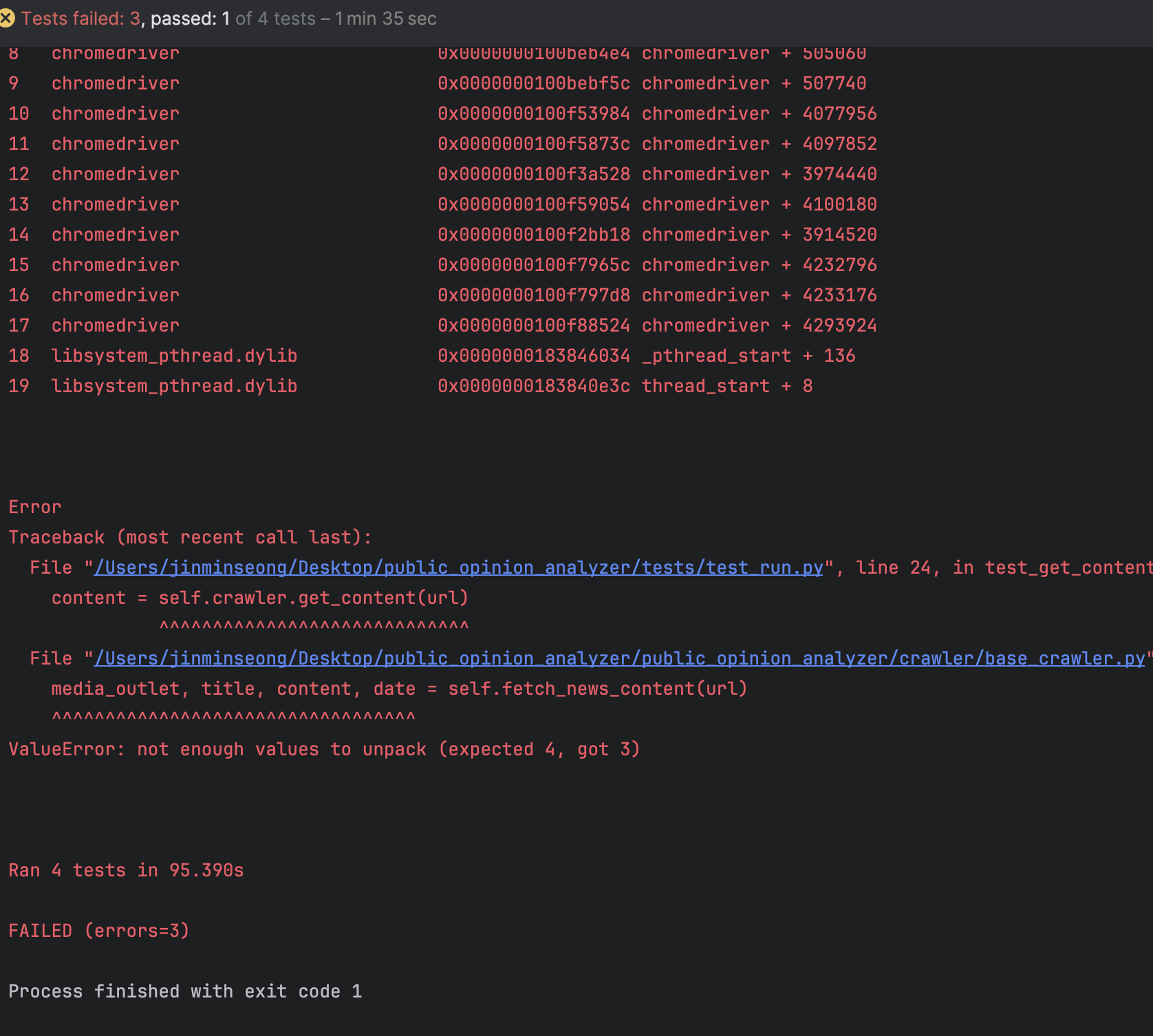
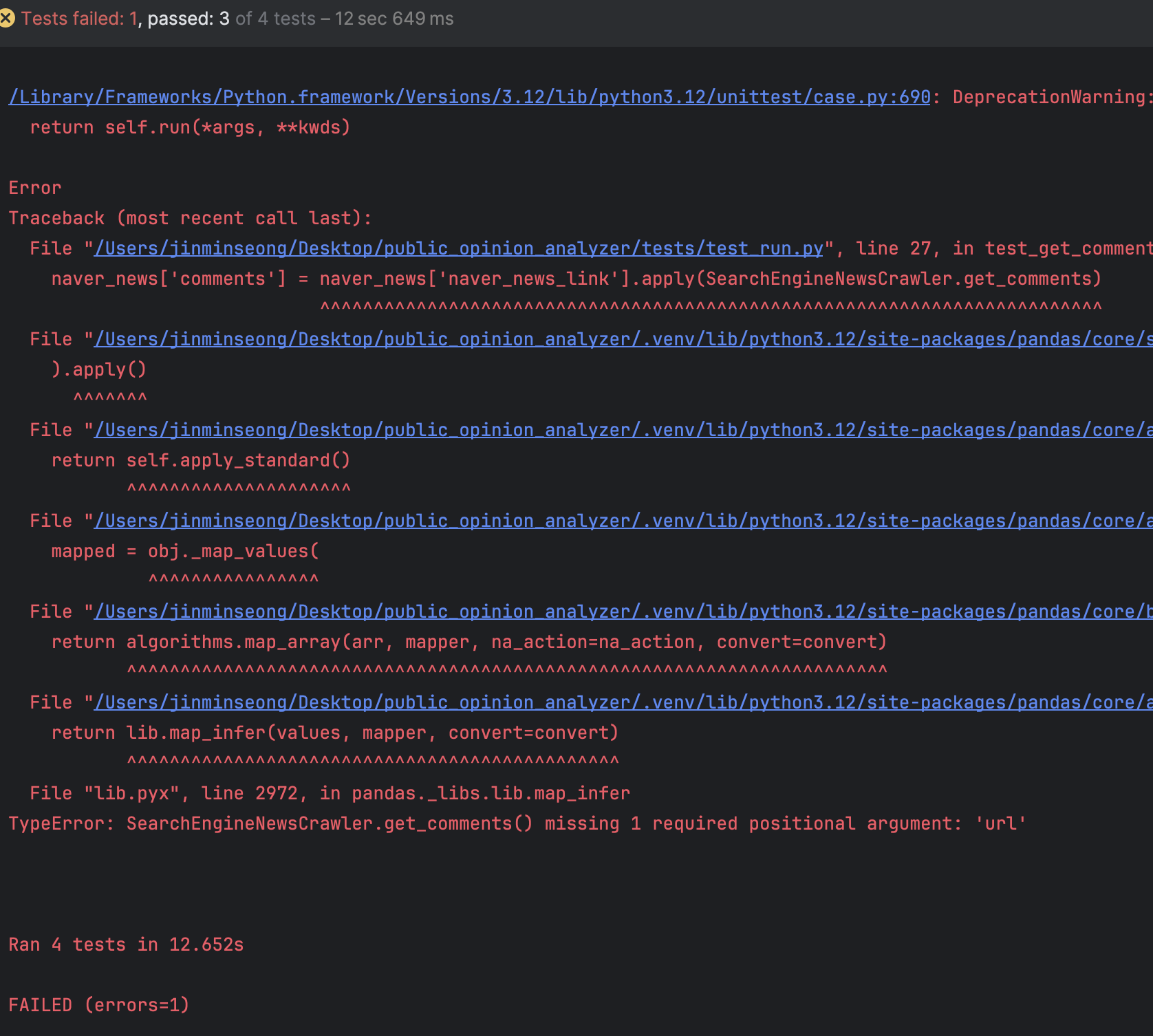
The tests do not pass easily. There were many problems with the code, and even the simple tests I created caused many errors. The following is an example.
Finally succeeded
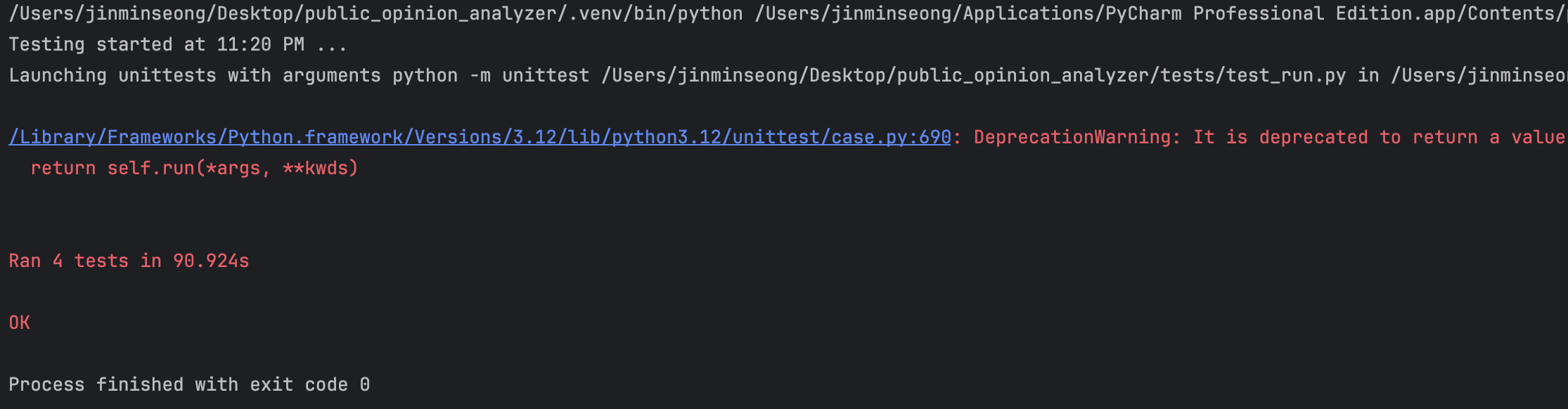
I realized that a great deal of exception handling was necessary because some news articles do not have comments, and I also learned that test code for such cases is essential. I realized that I had to consider far more cases than I initially expected and write corresponding tests in order to finally complete the test code.
On the other hand, I also wondered whether TDD is absolutely essential for building working software. Even creating simple test code takes additional time because it is impossible to develop perfect code from the beginning, so as I repeatedly modified the test code, I ended up spending extra time implementing the functionality for the original purpose and writing the test code. If the code needs to be reused multiple times, basic tests are necessary, but I will apply TDD flexibly depending on the situation.