
While looking through books at the Book Cafe Jungmun Library, I came across a book called “Understandable IT Knowledge for Non-Majors.” While working on term projects or toy projects, there were terms and principles I couldn’t understand, and this opportunity allowed me to reinforce the concepts I hadn’t understood. I want to summarize the concepts I came across in one line each so that even a kindergartener could understand them.
Components of a Computer
- cpu: computation
- Memory: the computer’s workspace (it takes too much time to search for data in the auxiliary storage one piece at a time -> bring chunks of data into memory and work with them there)
- Auxiliary storage (HDD/SSD): storage space
OS
- A program that connects the user with the computer hardware -> There were many types, but a particular OS with many users gained a monopoly (Specific supported languages dominated -> commonly used applications were made to run only on specific operating systems)
cf) JVM(Java Virtual Machine) -> Allows programs made with the Java language to run on multiple operating systems. ex) Python… -> On mobile devices with limited capacity, the development of programs that run on all operating systems is relatively slow! (A specific language used by many people has influence)
- Low level language -> computer-friendly -> lower production costs, so it can run even on computers with low performance (embedded systems such as IPTV)
- High level language -> requires better computer performance -> higher production costs
Network
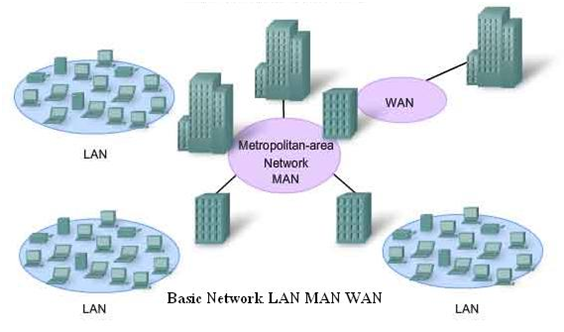
- LAN(Local Area Network): a small area where computers are connected
- MAN(Metropolitan Area Network): multiple LANs in a city
- WAN(Wide Area Network): city-to-city/worldwide
- The development of these wired networks led to the development of high-speed Internet networks and wireless networks such as 3G, 4G, and 5G
- IP address: a computer address designated with numbers for sending and receiving file information
ex) An intranet is also an independent network based on the LAN/MAN/WAN system within the military
Client(Clients) & Server(Server)
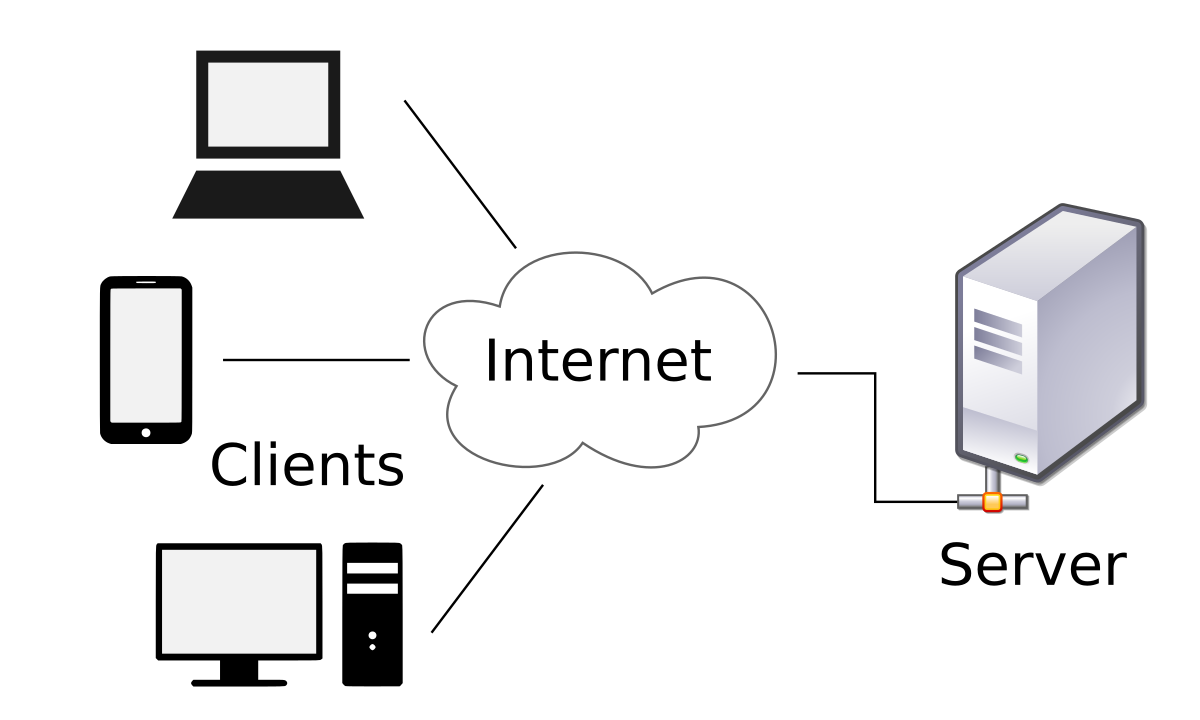
Client(Clients)
-> A personal computer (user) / ‘the person who assigns the work,’ ‘the sender of the request’ ex) Smartphone/PC…
Server(Server)
-> Receives and processes requests / stores data / provides data / responds
- Operating system: Linux OS -> this OS is used because it is free
- Server program:
- Ubuntu -> one of the versions of the Linux OS ex) Windows XP, Windows 7, Windows 10…
-
Why are Windows/Mac expensive to use as servers? -> Because of the graphical UI / Linux does not need a graphical UI, so it is inexpensive and free
-
Why don’t people use personal servers? -> They are difficult to manage -> It is difficult for individuals to bear the risks
-
Hosting companies emerged (cafe24, Gabia, Aws) -> Rent server computers
API
-> A system/agreement created so that different programs, such as clients and servers, can send and receive requests and responses
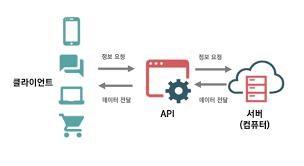
Requests(CRUD)
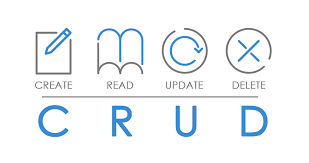
- In general, when a client sends a request to a server, it does not go beyond CRUD.
- The format of a request is server address/A(type of function to perform).
- As the number of types increases, they may overlap -> RESTFUL API agreement! (Manage CRUD with a single address)
REST API
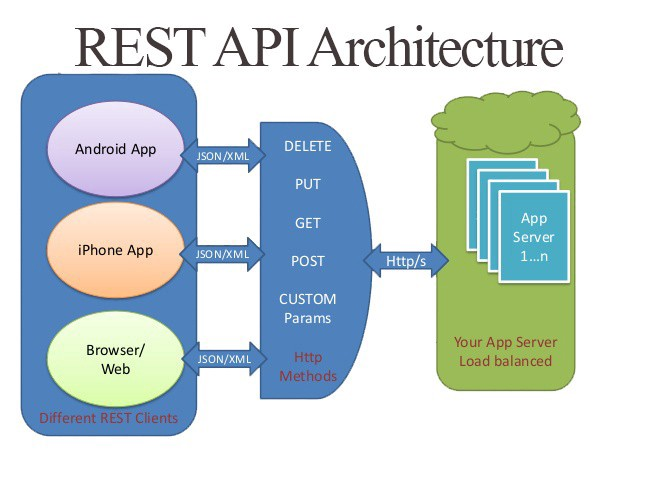
- It is the one that manages CRUD with a single address.
CRUD Method Creat -> Post Rread -> GET Update -> PUT(all)/PATCH(partial) Delete -> DELETE
Parameters here -> login information, ID, password…
Response Data
- An agreement for indicating whether an operation was successful -> HTTP status codes
- 200 -> good
- 400 -> request error
- 500 -> server error
SDK
- ‘Other software’ that helps with software development and provides APIs
Format for Sending and Receiving Requests and Responses
- JSON format: key-value format
- Format { Key1: Value1 Key2: Value2 … … }
ex) { “ID” : “andigh23” “Password”: “a12345” …
}
-
Data is stored in files in JSON format
-
Summary
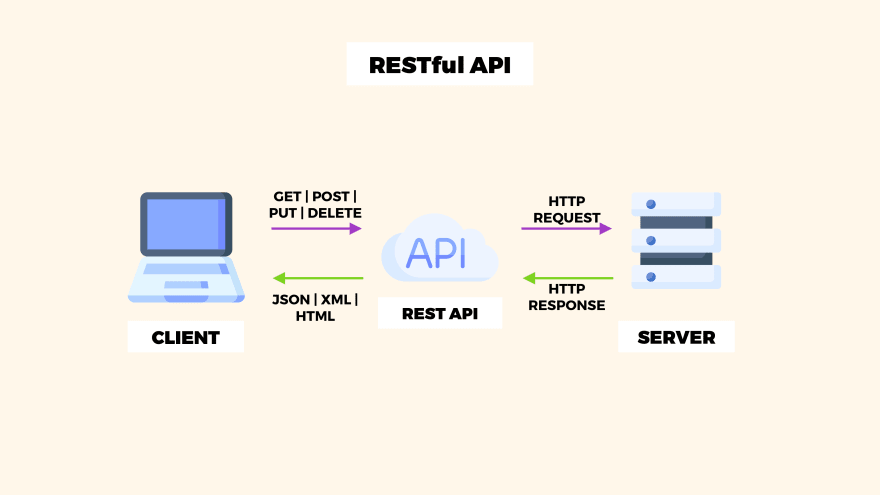
Applications

Characteristics
-
The client has to go through the trouble of reinstalling the application with every version update
-
Same version x -> Incompatible -> Bugs -> The price in the version before payment differs from the price in the current version Solution: Have it retrieved through the server API
-
App ecosystems : iOS App Store -> complicated review process increases the time required : Play Store -> upload quickly / immediately deleted if it does not comply with policy
-
Less affected by the network ex) KakaoTalk’s records are stored on the client -> If the storage becomes too large, free up space by deleting data to resolve speed issues
Web
Components
- HTML: content
- CSS: design
- Javascript: functional coding
cf) Publishing : Creating HTML and CSS
Characteristics
-
Works on all operating systems through a browser / files can be opened
-
Process
- Upload the completed version to the server
- Send a copy from the server to the client
- Refresh
- Changes are reflected immediately
- Changes and feature additions are faster than on mobile
- If the server goes down, the network becomes slow and users experience tremendous inconvenience
- Easy to modify
Issues (app & web)
- On the web, the browser itself is the application, so when a new version is created, there may be sites that cannot be opened in the existing browser ex) Chrome1 -> Chrome2 (x) css1 <- css2(o)
Responsive web
- Components change in ‘response’ to the browser’s horizontal width -> When the horizontal width falls below or rises above a certain number of pixels, the CSS remains the same / only the layout changes
- Before: apply different CSS for each pixel
- After: add CSS code according to different widths / change the layout
Apps & Web
- Native application
- Made with the OS and its functions / is an app / takes a long time for changes to be reflected / the client has to update it
- Mobile web app
- Browser / Internet / server / Javascript,HTML,CSS
- Hybrid application
- Web+app -> divide the functions
-> How to distinguish them: API documentation
DB & Image Processing
Background to the Emergence of DBs
- Enter information one by one in a text.txt file
- Difficult to find people with the same name, etc. / many people request CRUD operations
- Data corruption / incorrect modifications
Problem: Payment errors are serious because they involve money, and as the amount of data grows, you have to keep searching through the txt file one item at a time from the beginning.
Relational DB
-
Accumulate user data according to the information in rows and columns, like Excel ex) For the same-name issue, a unique value is assigned to indicate which row it is, resolving the issue
-
Excel sheet -> table
-
Excel file itself -> schema / database
-
When a CRUD request such as a modification is made, checking just one part is enough!
Relational DB Management System (RDBMS)
-
A relational DB management system for developers ex) MS SQL, Oracle DB, My SQL …
-
Can run on both the client and server -> Where is it retrieved from? -> Refer to the API documentation
-Summary Client = internal DB = native = front end = local
Server = API request = DB = back end = backend
Image Processing
-
Large size -> downloading from the server takes too much time -> store on the client
-
Small size -> store on the server -> retrieve it from the server later
-
As the number of modifications increases, updating them on the client takes too much time, so storing them on the server makes them easier to modify ex) Pricing policies/profile modifications
-
Conclusion -> It depends on the nature of the image.
Examples of Image Characteristics
case1. Instagram profile
- Photo updates / private profile -> Whose image is it? -> Create a relationship -> relational data -> integrity is important -> private profile management is needed -> manage the image address as text -> manage it in the DB
Framework
- A collection of various libraries that helps make programs easily within an OS
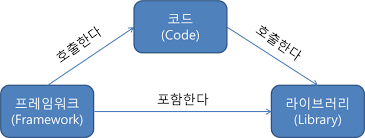
| Programming language | Framework |
|---|---|
| Python | flask, django.... |
Java Kotlin | Android, Frame work… |
..... | … |
- Reference: Understandable IT Knowledge for Non-Majors
- Book photo : http://www.yes24.com/Product/Goods/91165789
- LAN/MAN/WAN photo: https://www.apposite-tech.com/blog/whats-difference-metropolitan-area-network-man-wide-area-network-wan/
- API photo:https://brunch.co.kr/@ogaa2143/30
- CRUD photo :https://youngjinmo.github.io/2019/08/oracle-crud/
- RESTful API architecture photo: https://dilankam.medium.com/restful-api-design-best-practices-principles-ded471f573f3
- Summary photo: http://www.incodom.kr/REST
- Framework photo: https://m.blog.naver.com/dktmrorl/222121510562
- Team Cook meme: http://34.64.107.232/tags/%ED%8C%80%EC%BF%A1