🍳 Motivation
While working on a text mining project, the results of text analysis continued to change through prompt engineering, and when a situation arose in which the JSON structure of the results had to be changed midway, I had to carry out prompt engineering by referring to the CSV files of previous results. In addition, when visualizing the results, if the versions of the data were not properly managed, I often accidentally incorporated past data into the visualization or became confused about which data to use for visualization. Likewise, when participating in classical machine learning competitions on Kaggle or Dacon, I often wasted unnecessary time because I did not manage versions or design the file structure in advance when determining which data was the final result and comparing it with previous results. Therefore, I decided to try to solve these problems by installing DVC, which I was using for the first time.
🍳 Tutorial
This tutorial was based on the official DVC documentation, this link.
I proceeded by installing it from the repository.
The following commands must be entered one line at a time.
sudo wget \
       https://dvc.org/deb/dvc.list \
       -O /etc/apt/sources.list.d/dvc.list
If you continue with the installation from this point,
wget -qO - https://dvc.org/deb/iterative.asc | gpg --dearmor > packages.iterative.gpg
sudo install -o root -g root -m 644 packages.iterative.gpg /etc/apt/trusted.gpg.d/
rm -f packages.iterative.gpg
sudo apt update
sudo apt install dvc
You can confirm that it has been installed successfully when the version appears as shown above.
Trying It Out Simply
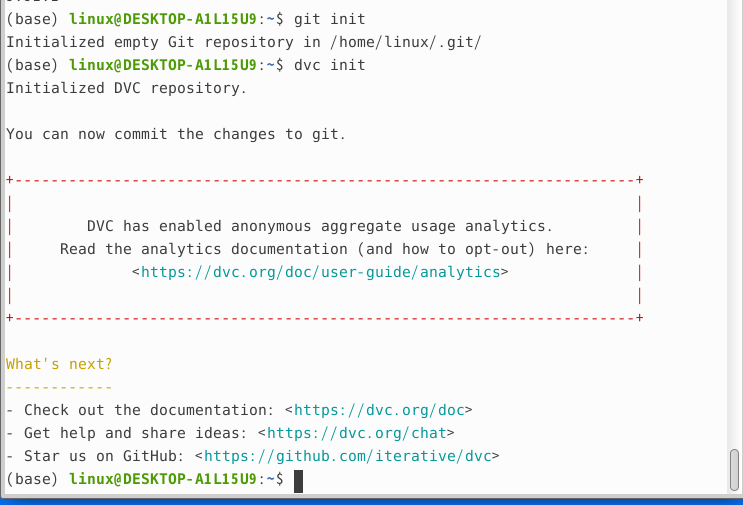
Initialization
dvc is used in conjunction with git, so it must be initialized with git, and dvc must also be initialized in the same way as git.
Registering Test Data for Version Control
Just as with git, data can also be registered through dvc.
The following process creates a test file and then registers it with dvc.
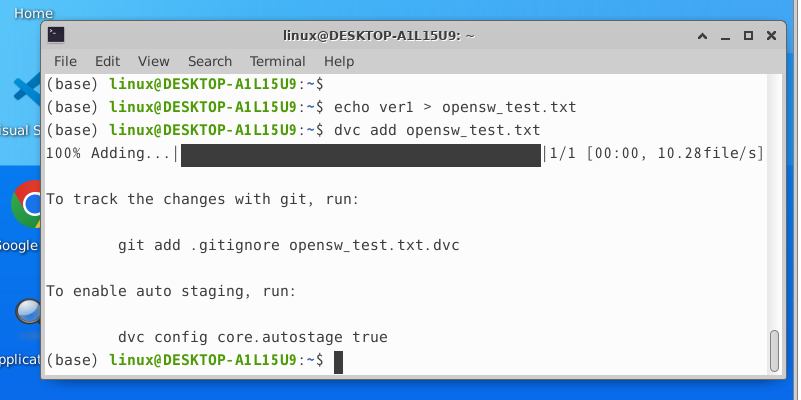
As shown above, opensw_test.txt.dvc is created, and from now on git manages only opensw_test.txt.dvc, not opensw_test.txt. dvc automatically adds the txt file to gitignore. For now, only a small file has been registered, but later, you can register large datasets and folders in actual use.
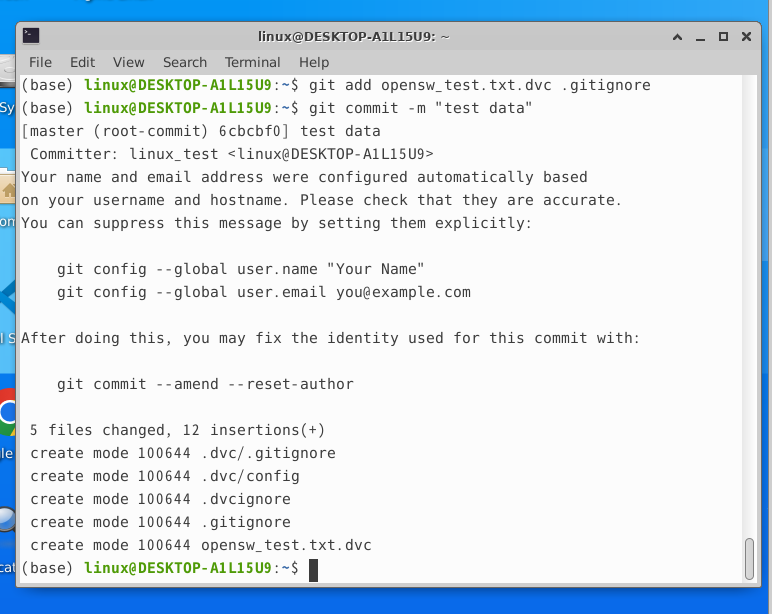
Commit the .dev file and .gitignore file with git, and you’re done!
🍳 Reflections
The importance of version control becomes even greater in AI projects, especially when collaborating. Managing the registries of the data and models used in an ML pipeline is essential. Since the results of AI models obtained through research must guarantee reproducibility, managing the versions of models and data makes it possible to produce reproducible results. Previously, I stored models and data individually and messily on my desktop and had difficulty determining which version they were, but now I will use DVC to manage the versions of models and data like GitHub.
References
- https://devocean.sk.com/blog/techBoardDetail.do?ID=165685&boardType=techBlog
- Reference for registering data under version control: https://minimin2.tistory.com/185